How to Organize Sweepstakes Tracking Spreadsheets
Setting Up Your Master Spreadsheet Structure
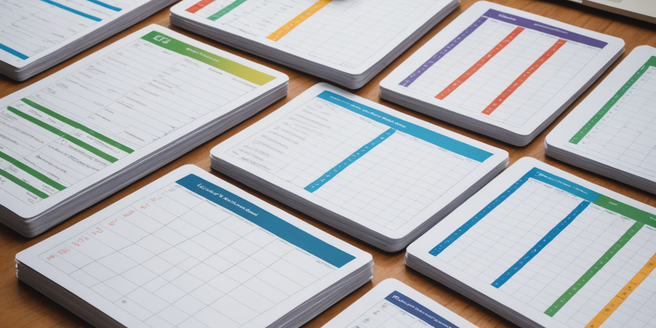
Building a solid foundation starts with creating a master spreadsheet that consolidates all your sweepstakes entries. Begin by opening a blank spreadsheet and establishing clear sections for different sweepstakes categories. Assign one row to headers that define each column’s purpose. Consider organizing by entry date, sweepstakes name, or prize category. Use consistent formatting throughout to maintain visual clarity. Freeze the header row so it remains visible while scrolling through entries. This structural approach prevents duplicate entries and ensures no opportunities slip through the cracks. Create separate sheets for different years or sweepstakes types to keep your data manageable and organized efficiently.
Essential Columns for Tracking Sweepstakes Entries
Every effective tracking spreadsheet requires specific columns to capture relevant information. Start with Sweepstakes Name to identify each contest clearly. Add Entry Date to track when you submitted. Include Deadline Date for timely reminders. Create columns for Prize Description, Prize Value, and Odds of Winning. Add Entry Method (online, mail, in-person) for reference. Include a Contact Information column for sweepstakes organizers. A Notes column allows you to record unique requirements or submission details. Finally, add a Status column showing whether entries are pending, submitted, or completed. These essential columns provide comprehensive tracking without overwhelming complexity.
Creating Color-Coded Categories and Status Indicators
Color coding transforms your spreadsheet into a visual management tool. Assign specific colors to different sweepstakes categories: blue for travel prizes, green for cash prizes, red for urgent deadlines, and yellow for lifestyle items. Use conditional formatting to automatically highlight cells meeting certain criteria. Apply status indicators showing submitted, pending, winner, or closed entries. Color code rows by prize value ranges to quickly identify high-value opportunities. Create a legend at the spreadsheet’s top explaining your color system. This visual organization reduces time spent searching for specific entries and makes tracking progress intuitive. Consistency in color usage across all sheets ensures seamless navigation.
Automating Deadline Alerts and Reminders
Spreadsheet automation helps you never miss crucial deadlines. Use conditional formatting to highlight deadline dates approaching within seven days. Create a formula-driven column calculating days remaining until each deadline. Set up notifications in your calendar application synced with spreadsheet deadline dates. Consider using spreadsheet functions to automatically sort entries by urgency. Enable data validation to flag overdue entries. Many spreadsheet platforms allow automatic email reminders for upcoming deadlines. Create a separate ‘Action Items’ sheet pulling entries due within the next two weeks. These automation strategies ensure consistent follow-up without manual tracking, maximizing your sweepstakes success potential.
Organizing Results and Prize Tracking
After sweepstakes close, maintaining organized results ensures proper prize management. Create a Results column indicating winners or non-winners immediately upon notification. Add Prize Received Date and Prize Value Confirmed columns for accountability. Document any prize claim processes or requirements needed. Include a Claims Status column tracking whether prizes were claimed or forfeited. Create a separate Results sheet archiving completed sweepstakes data. Add prize fulfillment information like delivery dates or claim deadlines. Calculate total winnings monthly to track your success metrics. Maintain contact information for prize fulfillment teams. This systematic results organization enables you to follow up on claimed prizes and evaluate which sweepstakes categories yield best returns.
Maintaining and Updating Your Spreadsheet Long-Term
Long-term spreadsheet success requires consistent maintenance and updates. Schedule monthly reviews to remove closed sweepstakes and archive completed entries. Update status indicators as new information arrives from sweepstakes organizers. Remove duplicate entries preventing confusion. Back up your spreadsheet regularly using cloud storage for security. Review and refresh your category system annually based on prize preferences. Clean outdated contact information and remove inactive sweepstakes. Create summary reports tracking annual participation and winnings. Establish a routine for updating deadline reminders and status checks. Regular maintenance prevents spreadsheet clutter while preserving historical data for analysis and future reference optimization.